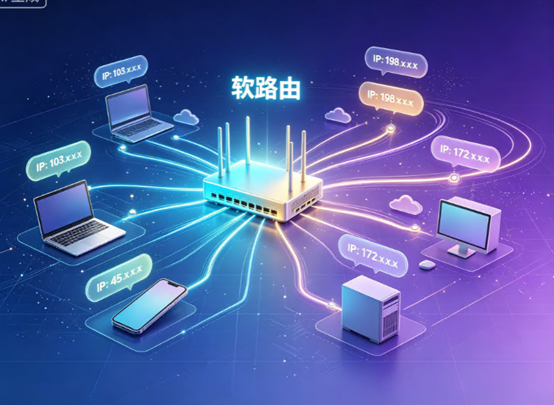
Software routers not only enable "one device, one IP," but this is precisely one of their core and most practical functions.
"One device, one IP" means that in a home or office network, each device connected to the software router (computer, mobile phone, game console, etc.) is assigned an independent, publicly visible public IP address. This is essential for scenarios requiring multi-account operation and data collection, enabling network isolation and mitigating platform association risks.
Why can't ordinary routers do this?
Ordinary home routers use NAT technology, where all devices share a single public IP address. From the outside, all devices look identical. Platform risk control systems use IP addresses and device fingerprints to determine if multiple accounts are linked. If the same person is identified, penalties range from traffic limiting to account banning.
Software routers are completely different. Essentially, they are powerful mini-servers that can run professional routing systems such as OpenWrt, iKuai, and RouterOS. Its strength lies in its powerful customizability and traffic scheduling capabilities—it can act like a traffic controller, precisely directing network requests from each device on the internal network to different exit IPs.
Three Mainstream Ways for Software Routers to Achieve "One Device, One IP"
Method 1: Multiple WAN Ports + Policy Routing (Suitable for Multiple Broadband Connections)
If your office has multiple broadband connections from different operators (e.g., China Telecom + China Unicom), each with an independent public IP address, the software router can use policy routing to "distribute" data packets from different devices to different WAN ports. For example, computer A goes through the China Telecom exit, and computer B goes through the China Unicom exit. This method is more expensive, but bandwidth and stability are guaranteed.
Method 2: Single-Line Multi-Dial (Suitable for Scenarios Allowed by Operators)
Fiber broadband in some areas supports "single-line multi-dialing"—using a single physical broadband connection, the software router dials multiple times simultaneously to obtain multiple different public IP addresses. After obtaining multiple IP addresses, the software router then assigns them to different devices. This method is low-cost, but its feasibility depends on the policies of the local operator.
Method 3: Proxy IP Pool + Policy Routing (Most Flexible and Mainstream)
This is the method used by most studios and cross-border business users. The core idea is to purchase a batch of independent IPs (dynamic or static) from a professional proxy IP service provider and configure these IPs in a software router. Then, traffic distribution rules are set in the software router's backend.
Specifically, this can be achieved through MAC address binding, permanently associating the MAC address of each device on the local area network with a specific proxy IP channel. When device A accesses the internet, traffic automatically goes through proxy IP channel A; device B goes through channel B, without interference. Alternatively, this can be achieved using fixed internal network IPs. First, a fixed internal network IP is assigned to each device in a DHCP server, and then rules are created in the proxy plugin to assign different internal network IPs to different proxy exits.
Of these three methods, the third option is the most cost-effective and mainstream choice, and it is also the first choice for most studios to achieve "one machine, one IP".
Cost and Feasibility of Setting Up a Software Router
The hardware requirements for software routers are very low. An old, obsolete computer (with at least two network ports), a low-power mini industrial PC (such as a J1900 or N-series processor, 4GB or more of RAM), or even a virtual machine created on an existing server using VMware or Proxmox virtualization software, can all serve as the hardware platform for a software router.
Regarding the operating system, OpenWrt, iKuai, and RouterOS are the most popular choices. OpenWrt boasts the richest plugin ecosystem, iKuai offers intuitive and powerful traffic routing capabilities, while RouterOS is suitable for professional users seeking ultimate stability.
In terms of cost, hardware investment ranges from several hundred to a couple of thousand yuan, while proxy IP services are billed on a pay-as-you-go or monthly subscription basis. Compared to installing a separate broadband connection for each device, the cost advantage of a software router solution is significant.
Important Notes
First, it's crucial to distinguish between "internal network IP" and "public network IP." By default, software routers assign a private IP address (e.g., 192.168.x.x) to each device, which is the basis for "one IP per device." However, to truly achieve external network isolation, each device needs its own independent public IP address. The former can be achieved by the software router itself, while the latter requires multiple WAN ports, single-line multi-dialing, or proxy IP services.
Secondly, the quality of the proxy IP directly determines the success or failure of the business. Using data center IPs or public proxy pools is easily detected and blocked by the platform's risk control system. High-quality native IPs or static residential proxies are key to ensuring account security.
Furthermore, after configuration, be sure to visit websites such as `ip.cn` on each device to verify that the displayed IP address is different and matches expectations.
Finally, configuring software routers has a certain technical threshold. It is recommended to start with the graphical interface of iKuai or OpenWrt, gradually familiarizing yourself with it before attempting more complex RouterOS configurations.
Soft routers not only provide a feasible "one IP per device" solution, but have also become the standard solution for multi-device operation scenarios. It uses centralized traffic scheduling and granular policy routing to ensure that all devices connected to a single physical broadband connection have independent network identities.
However, it's important to note that a software router is merely a "scheduler." The true determinant of IP quality lies in the underlying IP resources—whether it's a public IP obtained through multiple dial-up connections or a residential IP provided by a proxy service provider. Their purity and stability directly determine the success or failure of the business. Jtti's cloud servers, equipped with high-quality native IPs, serve as an ideal platform for software router systems. They also provide stable, high-performance underlying network support for proxy IP services, helping users achieve "one IP per device" while ensuring long-term stable business operation.





