In VPS rentals, hardware configuration and network speed are crucial, but there's another factor often overlooked by beginners, yet it can be decisive in crucial moments: IP quality. Many users have likely encountered this: spending a lot of money on a high-spec server, only to be bombarded with CAPTCHAs when opening websites, accounts instantly banned upon registration, and AI assistants rendered useless. The problem often lies in the problematic "origin" of the IP address.
Simply put, IP quality is the key criterion by which websites determine whether you are a "real user" or a "bot." A "clean" IP ensures smooth access; a "dirty" IP means endless CAPTCHAs, access restrictions, and account bans.
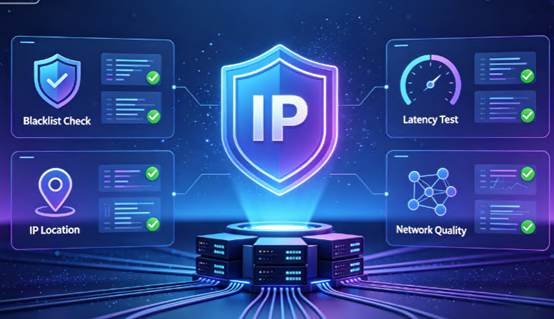
What exactly constitutes a "clean" IP?
A high-quality, clean IP typically means it's not listed in any blacklist databases, not flagged for malicious activities like web scraping or spam, and its geographical location matches its actual usage location.
In scenarios like cross-border e-commerce, social media operations, and advertising, the cleanliness of the IP directly determines the survival of the business. Data shows that services using low-quality IPs can face a blocking rate as high as 67%. Therefore, a comprehensive IP check is essential before deploying any service to a VPS.
IP Origins: Understanding Four Core Types
Before starting the check, we first need to understand the core types of IPs. This will help you read the check report and understand why some IPs are inherently superior while others have a poor track record.
We can understand IPs from two dimensions:
Dimension 1: By Source (Your Origin)
- Residential IPs: IPs assigned to real home broadband users by internet service providers (such as Comcast and China Telecom). These IPs are closest to real users, have extremely high trust levels, and are very difficult to block. However, the downside is that they are expensive, and the speed may be unstable due to network fluctuations.
- Data Center IPs: IPs assigned by data centers or cloud service providers . VPSs are assigned data center IPs by default. Its advantages are high speed, large bandwidth, and low price; however, its disadvantages are that it is easily identified and blocked, and lacks anonymity. Many streaming media and services with strict risk control will directly block data center IP ranges.
Dimension Two: Classified by "lineage" (your "birthplace")
- Native IP: The IP's registration location (Whois information) and actual usage location (routing broadcast location) are completely consistent. For example, an IP registered in the United States and used in a data center in the United States is a native IP. Native IPs have extremely high trust levels, can reliably unlock local services, and are synonymous with "pure".
- Broadcast IP: The IP's registration location and actual usage location are inconsistent. For example, an IP registered in the United States but "leased" to a data center in Germany is a broadcast IP. Although the cost is lower, it may be detected and blocked by streaming media and platforms with strict risk control.
In short: "Native IPs" are the "top students" among data center IPs, while "residential IPs" are the "elite students". For businesses like TikTok live streaming and cross-border e-commerce, which have extremely high requirements for IP purity, native IPs are the bare minimum, while residential IPs are a better choice. Using broadcast IPs can easily trigger the platform's risk control mechanisms.
How to give your VPS IP a comprehensive check-up?
After understanding the IP's "origin," we can use various tools to check its "health status."
Part 1: Pre-purchase or Basic Information Verification
Before you receive your VPS, or if you've just received your IP and want to quickly understand its basic information, you can use the following tools:
- Check ASN and Attribution: Visit `db-ip.com` or `ping0.cc` to view the IP's geographical location, its ASN (Autonomous System Number), and whether it's a native or broadcast IP. `ping0.cc` is commonly used for determining native/broadcast IPs, but its reference value for other risk control values is limited.
- Check Basic Type: Visit `ip2location.com` to confirm the IP's `Usage Type`. If it displays "ISP," it's usually a residential IP; if it displays "Hosting" or "Business," it's almost certainly a data center IP. Also, pay attention to whether it's marked with "Proxy" or "Abuse."
Part Two: In-Depth Risk and Fraud Scoring Detection
This part of the detection is more crucial, directly related to whether the IP is "clean."
- IPQualityScore (IPQS): The industry-recognized benchmark tool for IP quality testing, it can scan over 200 blacklist databases. This tool is very sensitive; IPs marked as "clean" are generally clean, but those marked as "dangerous" are not necessarily dangerous and may be false positives. You need to focus on parameters such as `Proxy Status`, `Status`, `TOR Status`, `Fraud Score`, and `Recent Abuse`.
- Scamalytics: Another professional anti-fraud scoring system, adept at distinguishing between data center proxies and residential proxies. It gives a fraud score from 0-100. There's a consensus in the industry: a low score doesn't necessarily mean there are no problems, but a high score (above 75) basically indicates the IP is "terrible." Generally, a score below 30 is considered a relatively clean IP. Genuine home broadband IPs typically score between 5 and 25.
- AbuseIPDB: This can check if an IP is blacklisted for malicious activities such as spam or DDoS attacks.
Part Three: Practical Testing After Obtaining the VPS
Once you have SSH access to the VPS, you can run a one-click script directly on the server. This is the most comprehensive and convenient method.
- One-Click Comprehensive Script: Run `bash <(curl -Ls IP.Check.Place)` in the VPS terminal. This script will automatically check the IP's records in various blacklist databases, IP type, risk score, and other dimensions, providing you with a comprehensive report all at once. It can easily check the "four greens and one red" status of an IP address—if all four detection databases show green (safe) and only one shows red (data center), then this IP address is almost certainly a data center IP.
- Streaming Media Unlock Test: Running `bash <(curl -L -s check.unlock.media)` can test whether your IP address can unlock streaming platforms like Netflix and Disney+. However, please note that being able to unlock streaming media does not necessarily mean the IP is of high quality. Unlocking capability mainly depends on the IP's "region," not its "quality." A very "dirty" IP address might still be able to watch Netflix even after being unlocked via DNS. Therefore, do not use streaming media unlocking capability as the sole criterion for judging IP quality.
Part Four: The Most Realistic "Human" Test
No matter how comprehensive the tool's detection, it's not as reliable as testing it yourself. After all, websites, in addition to querying public databases, also have their own set of proprietary risk control logic. You can open your browser in incognito mode, without logging into an account, and directly access the following websites to test:
- Google Search: If a human verification prompt appears directly, it indicates that this IP address has a serious problem.
- Visit Reddit or watch YouTube videos: If you are required to log in or verify, the IP quality is generally poor.
- Access AI chatbots: If you can chat directly without verification, the IP is relatively clean. If you are required to log in or frequently prompted for verification, the IP quality is poor.
- Check Cloudflare's ASN bot percentage: Visit `radar.cloudflare.com`, search for your IP's ASN, and view the "Human/Bot Traffic Percentage". A high percentage of bot traffic will cause frequent verification prompts when accessing websites using Cloudflare CDN.
Key Points of IP Quality Testing
In general, determining whether a VPS IP is "clean" requires considering both its "origin" (IP type) and "reputation" (risk score).
For businesses requiring long-term stable operation, especially scenarios like TikTok live streaming and cross-border e-commerce, it is highly recommended to choose native IPs and ensure their risk scores on platforms like IPQS and Scamalytics are low. IP quality is not a one-time test and is not permanent. If you find that IP quality is declining or your business is frequently disrupted, changing the IP is the most direct and effective solution.
Jtti's cloud server products all come with high-quality native IPs, with strict control over IP purity, meeting the stringent IP quality requirements of businesses such as TikTok live streaming and cross-border e-commerce. If you are looking for a VPS with a "clean pedigree," you can learn about specific plans on the official website.





