To successfully host a TikTok live stream, a robust network environment is crucial. Many streamers struggle with VPS selection, as advertised specifications often look impressive, but are they truly sufficient for real-world performance? The answer depends on your stream quality, the target audience's geographic location, and the stage your account is at. However, by breaking down a few key metrics, you can determine if a VPS is adequate for TikTok live streaming.
First, let's look at the hardware: What are the minimum requirements for CPU, RAM, and hard drive performance?
TikTok's official system requirements for live streaming devices can serve as a basic reference. According to TikTok's official documentation, the minimum configuration is an Intel Core i3 9th generation or AMD Ryzen 5 3000 series or higher CPU, 8GB of RAM, and an NVIDIA GeForce GTX 10 series or AMD Radeon or higher graphics card; a mid-range configuration is recommended to be an Intel Core i5 11th generation or AMD Ryzen 5 6000 series or higher, and 16GB of RAM.
Translating this to a VPS scenario, these metrics point to a clear conclusion:
Regarding CPU, live streaming involves video encoding (especially software encoding x264), which demands significant CPU processing power. For 1080P live streaming, a minimum of 4 cores is recommended. If running programs like OBS streaming and transcoding simultaneously, 6 or 8 cores will be more stable. Running 1080P live streaming with a single CPU core is practically unrealistic—even if it could barely manage, consistently high CPU usage will cause stuttering and disconnections.
Regarding memory, 8GB is generally considered the minimum. Insufficient memory can lead to latency or even crashes during streaming. 8GB is recommended for everyday live streaming, and 16GB is more efficient if running other services or software simultaneously.
Regarding storage, an SSD is a must, with NVMe SSDs being preferable. Mechanical hard drives have too slow random read/write speeds, becoming a bottleneck in high-IO scenarios like live streaming. 20GB or more of NVMe storage is generally sufficient.
In short, 2 cores and 4GB of RAM is the entry-level requirement, 4 cores and 8GB of RAM is the recommended configuration, and 8 cores and 16GB of RAM or more are suitable for professional live streaming.
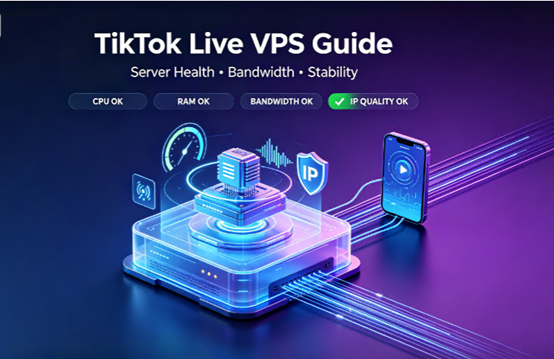
Furthermore, regarding the network: bandwidth, latency, and packet loss are all crucial.
TikTok live streaming is a typical example of a service sensitive to upstream bandwidth. Regular website operations rely on downlink bandwidth (user download data), while live streaming relies on uplink bandwidth (host uploads and pushes data). Many low-priced VPSs advertise asymmetrical bandwidth—high downlink, low uplink—severely reducing uplink capacity and failing to meet the demands of live streaming.
Bandwidth is calculated as follows: 720P 30fps live streaming requires approximately 2.5-4Mbps uplink bandwidth, 1080P 30fps requires 4-6Mbps, and 1080P 60fps requires 6-9Mbps. However, these are theoretical values. In actual operation, it's recommended to reserve redundancy—for 1080P live streaming, the server should have at least 10-15Mbps of dedicated uplink bandwidth. Why dedicated? Because shared bandwidth experiences drastic bitrate fluctuations during peak hours when multiple users are simultaneously accessing it, directly resulting in buffering for viewers.
Latency and packet loss are another key metric. TikTok live streaming is a millisecond-level interactive service, and industry standards clearly state that streaming latency must be stably controlled within 150ms, and packet loss rate must be below 1%. Exceeding latency or packet loss limits will directly cause issues such as audio-visual desynchronization, blurry images, and choppy comments. The platform system will automatically determine the live stream quality is poor and reduce its organic traffic recommendation weight. Professional teams have even stricter operational standards—packet loss rate controlled within 0.1% and network jitter within 20ms.
The geographical location of the server node directly affects latency. If your target audience is in the US, but you choose a European VPS, the latency caused by physical distance cannot be eliminated through optimization. It is recommended to choose nodes corresponding to the target market: US West Coast (Los Angeles/Silicon Valley), Southeast Asia Singapore or Hong Kong, and Europe UK or Frankfurt.
Thirdly, consider the IP: the native IP is the bottom line, not an option.
Hardware and network determine whether the live stream is choppy or not; IP quality determines the account's activity level.
TikTok has a strict IP risk control system. The server IP location must accurately match the target market of the live stream. If there is a mismatch in location, such as "using a US IP for a Southeast Asian live stream and a Singapore IP for a European live stream," the platform algorithm will determine abnormal account operation and directly restrict traffic distribution.
More importantly, the IP's "origin" is crucial. Data center IPs (server room IPs), shared IPs, and proxy IPs often have numerous historical violations, easily triggering account throttling, pop-up verification, or even permanent bans. Native static IPs—IPs whose location exactly matches the server's actual location and are directly assigned by the local ISP—are the minimum requirement for TikTok live streaming.
When purchasing a VPS, be sure to confirm with the service provider whether the IP is a native IP and its historical usage. You can check the IP's risk score using tools like Scamalytics or IPQualityScore.
How to determine if your existing VPS is sufficient?
If you already have a VPS and are unsure if it can run TikTok live streaming, check it in this order:
Step 1: Run a performance test. Run a test using YABS or a script like Amalgam, focusing on the CPU single-core score (ideally no less than 800 points) and disk 4K random read/write speeds (NVMe SSDs typically need over 50MB/s).
Step 2: Test upload bandwidth. Use Speedtest or iperf3 to test the VPS's actual uplink bandwidth to confirm it meets the 10-15Mbps dedicated bandwidth required for 1080P live streaming.
Step 3: Test latency and packet loss. Use `ping` to test the latency to the TikTok server (e.g., `live.tiktokglobal.com`). If the average latency exceeds 150ms and the packet loss rate is high, it indicates an unstable network path.
Step 4: Check IP quality. Use an IP quality testing tool to confirm whether the IP's location matches the target market, whether it's a native IP, and whether the risk score is normal.
If all four items meet the standards, this VPS is basically capable of handling TikTok live streaming. If any item fails to meet the standards, targeted upgrades should be made based on the weakness—replacing it with a higher-configuration VPS, switching to an optimized line (e.g., CN2 GIA), or replacing it with a server with a native IP.
Additional Optimization: Maximizing Configuration Performance
Meeting hardware requirements is only the foundation; system-level optimization can allow the same configuration to achieve better results.
On Linux servers, enabling the BBR congestion control algorithm can significantly improve the stability and speed of long-distance transmission. Adjusting the TCP buffer size ensures the server has sufficient buffering capacity in high-bandwidth scenarios, reducing data packet loss caused by instantaneous fluctuations.
In streaming tools like OBS, the recommended bitrate setting is around 70% of the actual upload bandwidth, leaving redundancy to handle sudden fluctuations. For example, under stable upload conditions of 10Mbps, a bitrate of 6000-7000kbps is suitable.
Additionally, it is recommended to prepare a backup VPS for quick switching in case of primary node failure. The loss from a single live stream interruption often far exceeds the monthly cost of a backup VPS.
TikTok's VPS requirements are not mysterious—compliant hardware, sufficient bandwidth, clean IP, and controllable latency are all indispensable. Rather than repeatedly encountering problems with low-priced shared nodes, it's better to choose the right configuration from the start based on the above standards. After all, in TikTok's algorithm, unstable streaming signals and unclean IP identities are the most obvious signs of "abnormal operation." Jtti's US and Hong Kong cloud servers are equipped with native IPs and optimized lines, meeting the stringent requirements of TikTok live streaming. Interested users can learn more about the specific solutions on the official website.





