Claude Code operates on a token-based billing model. According to data from Anthropic regarding enterprise deployments, the average developer incurs a cost of approximately $13 per active day, totaling between $150 and $250 per month. However, this is merely an "average." When fixing the same bug, differences in conversational habits can lead to costs that vary by several times over.
Costs typically spiral out of control not because the tasks themselves are overly complex, but because of three common oversights: failing to track where the money is going, allowing the context to expand indefinitely, and using the wrong model. By managing these three factors, you can shift from being unpleasantly surprised at the end of the month to having a clear, predictable grasp of your expenses.
First: Use `/usage` to see where your money is going.
`/usage` is a built-in cost-diagnostic tool in Claude Code. It provides a detailed breakdown of token consumption for your current session—including input tokens, output tokens, cache reads, cache writes, and estimated costs broken down by model.
To interpret `/usage` effectively, you must understand the composition of input tokens. In every turn of a conversation, Claude Code resends three components to the model: the entire conversation history, the project context (including `CLAUDE.md` and any files you’ve read), and your latest prompt. Official documentation notes that the conversation history grows the fastest; in a long-running session, you end up paying for the full content of all previous turns with every new interaction.
A key insight: in the output from `/usage`, 70% to 90% of input tokens often consist of redundant data—such as the system prompt, `CLAUDE.md`, and file history. In other words, your actual "new" input accounts for only a small fraction of the total, while the bulk of the cost is driven by the repeated transmission of existing content.
Recommendation: Make it a habit to check `/usage` regularly. If the context consumes more than 60% of your limit, you should proactively trigger `/compact`—rather than waiting for the system to compress it automatically or hitting the hard context limit.
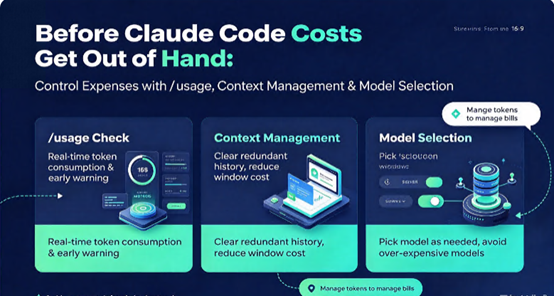
Second: Context management—the distinct roles of `/clear` and `/compact`.
Context management offers the highest leverage for controlling costs.
`/clear`: Use this to wipe the slate clean between tasks. The official documentation is quite explicit: every preceding message in a conversation is re-sent with each new turn. If a single session covers three unrelated issues, you end up paying for all three—repeatedly—in every subsequent turn. Using `/clear` wipes the conversation history, though it leaves `CLAUDE.md` and your project files untouched. Since it incurs zero cost, it is the optimal choice for balancing quality and expense.
`/compact` is designed for long-running tasks: it compresses the conversation history rather than deleting it. If you are in the middle of a complex task and cannot afford to lose critical context, `/compact` condenses the dialogue into a summary, preserving core information while freeing up space in the context window.
There is a crucial, often overlooked detail regarding costs: the `/compact` command itself functions as a summarization request, which consumes tokens. However, if you trigger compression while the cache is still active, the cost is only one-tenth of the standard rate. If you wait until after a break—once the cache has expired—the system must re-read the entire conversation history to generate the summary, incurring the full cost. Therefore, a smart habit is to run `/compact` before taking a break or stepping away, ensuring the compression happens while the cache is still "warm."
A quick rule of thumb: if your next prompt would make perfect sense even in a brand-new terminal session, use `/clear`. If the task is still ongoing and you need to retain the existing context, use `/compact`.
Thirdly, consider model tiering—don’t use Opus for tasks better suited to Haiku.
Claude Code allows you to switch models at any point during a session using the `/model` command. The official positioning is clear: Sonnet is the ideal choice for the vast majority of coding tasks—it is fast, highly capable, and cost-efficient. Opus is reserved for truly challenging problems, such as large-scale, cross-domain refactoring, complex debugging, or architectural decision-making, though it consumes significantly more of your quota. Haiku is the fastest and most affordable option, perfect for quick lookups, simple edits, and frequent, scripted tasks.
One pattern already built into the tool is `/model opusplan`: this uses Opus for planning, while Sonnet handles the execution. Planning is the scenario where Opus delivers the most value—this is where deep reasoning truly pays off. Once a solid plan is in place, the execution phase becomes largely mechanical, a task that Sonnet can handle at a fraction of the cost.
Another often-overlooked detail is setting the model and reasoning effort level at the very start of a session. Switching models mid-conversation invalidates the existing Prompt Cache, forcing the entire conversation history to be reprocessed at full cost. Spending an extra ten seconds to make the right choice at the beginning is more cost-effective than repeatedly switching models later on.
Two additional best practices: referencing files via paths and keeping `CLAUDE.md` concise.
Reference files by their paths rather than pasting their contents directly. Pasted content remains in the context window for the entire duration of the session, whereas referencing a file by its path (without the `@` prefix) allows Claude to selectively read only the relevant parts.
Keep `CLAUDE.md` under 200 lines. This file is prepended to every request. While Prompt Cache significantly reduces costs for subsequent turns, the file still consumes space in the context window. The official recommendation is to add entries to `CLAUDE.md` only when you find yourself needing to correct Claude a second time on the same issue. Furthermore, periodically remove obsolete entries—outdated notes are worse than no notes at all, as they can actively mislead the model.
A stable operating environment is the foundation of cost optimization.
Token management and model selection are software-level cost controls. However, if Claude Code runs on a VPS with frequent network instability, retries following timeouts will lead to additional token consumption—every failed request and subsequent retry drives up your bill.
Jtti’s cloud servers provide an ideal underlying environment for Claude Code. Their Hong Kong and US nodes utilize premium CN2 GIA network routes with direct connectivity across major carriers, maintaining a packet loss rate of under 0.5% even during evening peak hours. A stable network connection ensures that the streaming sessions between Claude Code and the Anthropic API are not frequently interrupted by packet loss, making token consumption much more predictable. With dedicated bandwidth provided as a standard feature, you won’t face issues where "noisy neighbors" saturate the network and cause your API requests to time out while waiting in the queue. The lifetime recurring discount policy ensures that the long-term costs of the servers themselves remain predictable—meaning no additional uncertainty is introduced on the infrastructure side, beyond your API usage charges for Claude Code.
Cost overruns often stem not from tasks being overly complex, but from suboptimal habits. By consistently monitoring `/usage`, running `/clear` between tasks, using `/compact` during long-running tasks, relying on Sonnet for routine work, and reserving Opus strictly for high-level planning, you can transform your Claude Code expenses from "unpredictable" into something entirely under your control.





