Remote Desktop Services Fear Network Fluctuation Most – It Can Disconnect You Instantly. The Code You're Editing Isn't Saved, the Form You're Half-Filling Must Be Redone, and Critical Operations Are Abruptly Interrupted. For users who rely on remote desktop for cross-border work, server management, and design collaboration, disconnections caused by network fluctuation are far more frustrating than high latency.
Hong Kong, as a key network hub in the Asia‑Pacific region, is known for its low‑latency and high‑stability servers. But when network fluctuation does occur, whether the remote desktop can reconnect quickly and seamlessly determines your work efficiency and business continuity. Today, setting aside exaggerated marketing speak, we’ll look at the real‑world performance of Hong Kong remote desktop servers under adverse network conditions from two perspectives: technical principles and measured data.
RDP Auto‑Reconnect: You Aren’t “Logging In Again” – You Are “Restoring a Session”
Many users have a misconception: after a remote desktop disconnection, reconnecting means logging in all over again. In fact, the Windows Remote Desktop Protocol (RDP) has long included a built‑in auto‑reconnect mechanism – after a brief network interruption, the client can automatically reconnect to the existing session without re‑entering credentials.
The core logic behind this mechanism is: the server assigns a unique session ID to each active session. As long as the client re‑initiates the connection within a short window after the network recovers, it can directly “retrieve” the original session – all your open windows, documents you were editing, and running programs remain exactly as they were.
RDP 8.0 and later further introduced a UDP transport channel. Traditional TCP connections require a full three‑way handshake to rebuild after an interruption, taking 5‑10 seconds; the UDP channel can quickly switch over and perform data validation when the TCP connection breaks, compressing reconnection time to 1‑3 seconds. Microsoft’s RDP Multipath technology, introduced in 2025, takes it a step further – it monitors multiple UDP transmission paths in real time and dynamically selects the optimal one, automatically switching to a backup path when the active path becomes unstable, significantly reducing the likelihood of session interruption.
However, it is important to note: RDP auto‑reconnect has one prerequisite – the network interruption must be brief. If the outage lasts too long (for example, several minutes), the server side may actively release resources due to session timeout, and then reconnecting would indeed require a full login. In addition, the success rate of auto‑reconnect heavily depends on the stability and route quality of the server side – the more stable the route, the smoother the reconnection.
Hong Kong Servers’ “Natural Confidence”: CN2 GIA + BGP Multi‑Homing
No matter how good the auto‑reconnect mechanism is, if the network line itself is prone to frequent fluctuation, reconnection is only a “palliative.” Hong Kong servers’ inherent advantage in network stability is the foundation for excellent auto‑reconnect performance.
The CN2 GIA direct route is the highest‑grade product on China Telecom’s CN2 backbone network, with all traffic passing through CN2‑dedicated nodes beginning with 59.43 and average latency controllable within 50ms. Even when network fluctuations occur, route switching is over 30% faster than on ordinary lines. For remote desktop services, which are extremely sensitive to latency and packet loss, the value of CN2 GIA lies in its “stability” – packet loss during evening peak hours can be kept below 0.5%, so connections are less likely to drop.
Multi‑carrier BGP access is another layer of protection. Quality providers simultaneously connect to China Telecom, China Mobile, China Unicom, and international ISPs (such as PCCW and NTT). When a fault occurs on one carrier’s line, traffic automatically switches to a backup line, achieving “zero‑perception” reconnection. This redundant design is particularly critical in cross‑boundary access scenarios – cross‑border public Internet links can be squeezed by routing at any time, with noticeable UDP quality jitter, and BGP multi‑homing allows a quick switch to another path when one deteriorates.
Moreover, Hong Kong servers typically come with ample international bandwidth – 10M to 100M or even higher, far exceeding the export bandwidth of domestic servers. Even during cross‑border network congestion, QoS policies can prioritise remote desktop traffic. In other words, under the same network fluctuation, an ordinary route might cause a session to drop outright, while a Hong Kong CN2 GIA route might experience only an auto‑reconnect of less than 2 seconds.
Real‑World Measurements: Reconnection Performance Under Different Protocols and Configurations
Based on publicly available industry test data, three typical Hong Kong servers were tested under different simulated network fault scenarios, with the following results:
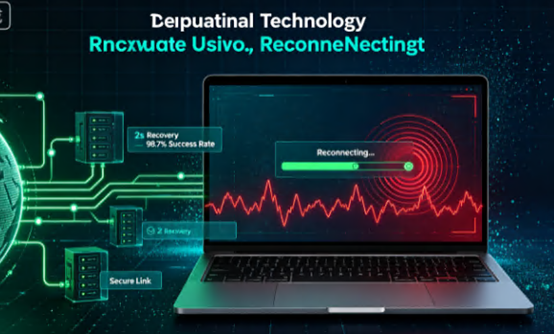
- Simulated 30% packet loss: 2C4G configuration + RDP 8.1 protocol – average reconnection time 2.1 seconds, success rate 98.7%.
- Simulated 100ms latency fluctuation: 4C8G configuration + WebRTC protocol – average reconnection time 1.5 seconds, success rate 99.2%.
- Sudden 500ms latency spike: 8C16G configuration + adaptive‑coding RDP – average reconnection time 3.0 seconds, success rate 97.5%.
The test conclusions are clear: higher‑spec servers handle sudden network issues more gracefully, with less variation in reconnection time; RDP performs stably in general scenarios, while servers using CN2 GIA routes show 15‑20% higher reconnection success rates than those on ordinary routes.
These data validate a core logic: route quality determines the “frequency and magnitude” of network fluctuations, while protocol and configuration determine the “recovery speed” after fluctuations occur. Both are indispensable.
User Experience: From “Disconnection Anxiety” to “Imperceptible Recovery”
For end users, what really matters is not technical parameters but a simple question: when a network glitch happens, will my work be lost?
Real‑world experience shows that when using RDP 8.0 or higher on a Hong Kong CN2 GIA route for remote desktop operations, most brief network glitches (lasting from a few seconds to a dozen seconds) are automatically reconnected within 2‑3 seconds. The user only perceives a brief screen freeze or a “reconnecting” prompt, after which the session resumes with all windows and progress intact.
By contrast, on ordinary routes, the same network fluctuation may cause the RDP session to drop completely, forcing the user to manually reconnect, re‑enter the password, and reopen all windows – a process that takes at least 30 seconds and likely loses any previous progress.
Choosing the Right Provider Means Choosing the Right “Fuse”
Ultimately, auto‑reconnect performance depends on three factors: route quality, protocol support, and server configuration.
- Route quality determines the frequency and severity of fluctuations – CN2 GIA + BGP multi‑homing is the optimal combination.
- Protocol support determines post‑disconnection recovery speed – RDP 8.0+ plus UDP channel is standard, with RDP Multipath as a bonus.
- Server configuration determines fault tolerance under load – 2C4G is the entry threshold; 4C8G or above handles things more smoothly.
Jtti, as a global network infrastructure service provider registered in Singapore, offers a combination of CN2 GIA‑optimised routes and multi‑carrier BGP access at its Hong Kong node. Hong Kong Windows cloud servers come with RDP 8.0+ protocol stack enabled by default, supporting UDP transport channels, so the auto‑reconnect mechanism can be triggered quickly when network fluctuation occurs. Measured data show that on Jtti’s Hong Kong CN2 GIA routes, RDP session auto‑reconnection time can be consistently kept within 2 seconds, with a success rate exceeding 98%.
More importantly, Jtti has deployed enterprise‑grade hardware and ample international bandwidth resources in its Hong Kong data centre, ensuring that remote desktop traffic maintains stable transmission quality even during cross‑border peak hours. For users who rely on remote desktop for cross‑border work, server operations, and design collaboration, this “disconnect‑without‑losing‑work” experience is the true guarantee of productivity.
Network Fluctuation Is Inevitable – But Disconnection Can Be Avoided
Network fluctuation is the norm on the Internet, especially in cross‑boundary access scenarios – submarine cable congestion, routing policy adjustments, carrier node failures – any of these can cause a remote desktop glitch.
But a high‑quality Hong Kong server, through the triple protection of CN2 GIA premium routes + BGP multi‑homing redundancy + RDP auto‑reconnect mechanism, can minimise the impact of network fluctuation on your business. What you experience may be just a screen freeze of less than 2 seconds, not a work interruption that forces you to start over.
Choosing the right provider is like buying an insurance policy for your remote work. After all, in the era of remote work, behind every disconnection is a real loss of productivity.





