Why do some users focus on IP types and seek to rent servers with native IPs when leasing overseas servers? This requires an in-depth understanding of native IPs and non-native IPs. Simply put, IP addresses can be analyzed from two dimensions: "source" and "lineage".
1. Source (Origins): Indicates whether an IP is assigned to residential household users (residential IP) or data centers (datacenter IP).
2. Lineage (Registered Location): Refers to whether the country listed in the IP’s Whois registration information matches the actual geographic location where the IP is deployed. IPs with consistent registration and usage locations are native IPs; inconsistent ones are broadcast IPs.
We will break down each type one by one below.
What Is a Native IP?
A native IP means the registered country of the IP address is exactly the same as the country where the server’s data center is located. Analogous to a local resident whose household registration and place of residence are identical with no identity disputes. Its core strengths lie in purity and high trust score.
It can stably unlock georestricted streaming platforms with strict IP location verification such as Netflix, Hulu and BBC iPlayer. When used for corporate email deployment, it drastically reduces the risk of being marked as spam. For cross-border e-commerce and social media marketing, accounts bound to native IPs are far less likely to trigger platform risk control mechanisms, and such IPs gain greater credibility with local regional search engines.
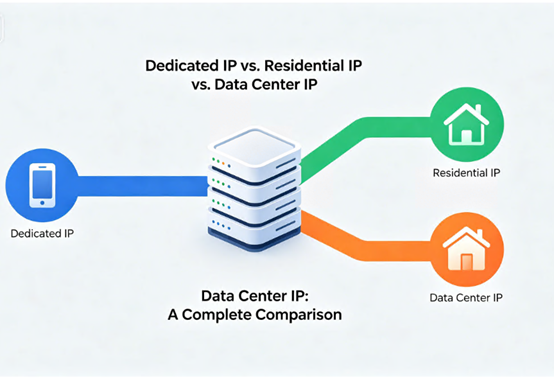
What Is a Residential IP?
A residential IP is an IP address allocated directly to regular household broadband subscribers by an Internet Service Provider (ISP), comparable to a private residential address. Its core features are authenticity and concealment.
Websites identify traffic from residential IPs as genuine individual user activity, making them extremely hard to detect and block. They serve as premium IP resources for registering and nurturing social media accounts (Facebook, TikTok, etc.) and operating multiple cross-border e-commerce stores to avoid account association.
Note that native IPs and residential IPs are not mutually exclusive concepts. All residential IPs fall under the native IP category, yet not all native IPs are residential IPs. For instance, dedicated line IPs applied by enterprises from local ISPs are also native IPs.
What Is a Datacenter IP?
A datacenter IP refers to IP addresses held in bulk by data centers and assigned to their hosted servers, similar to office numbers in a commercial office building.
Its core advantages are high speed, outstanding stability, and cost-efficiency thanks to bulk allocation that lowers per-IP expenses.
Its biggest drawback is transparent identity: websites can easily identify traffic originating from datacenter IP pools, leading to frequent blocking or restrictions in high-risk-control business scenarios.
Core Differences at a Glance
| Feature | Native IP | Residential IP | Datacenter IP |
| Core Definition | IP registration country matches actual deployment location | IP allocated by ISPs for household broadband use | IPs owned in bulk and distributed by data centers |
| Metaphor | Local permanent resident | Private home address | Office suite number in commercial building |
| Primary Sources | Local ISPs & selected cloud vendors | Household broadband carriers (telecom operators, etc.) | Cloud service providers & IDC data centers |
| Core Advantages | Clean reputation, high trust rating | Authentic user fingerprint, hard to detect | High bandwidth, stable uptime, low cost |
| Main Drawbacks | Higher price, limited resource supply | Premium pricing, potential unstable speeds | Easily flagged and blocked by platform risk systems |
| Typical Use Cases | Streaming media unlocking, high-value account registration, corporate mail servers | Social media account nurturing, multi-store e-commerce, web scraping | Website hosting, large-scale data crawling, non-critical business deployment |
How to Select & Verify IP Types
Selection Based on Business Scenarios
- Streaming media access & high-value account operations: Prioritize native IPs to maximize success rates and account security.
- Social media marketing & multi-store cross-border e-commerce: Prioritize residential IPs to simulate real human users and prevent account association or bans.
- Website deployment & mass data tasks with budget priorities: Choose datacenter IPs for balanced powerful performance and affordability.
Methods to Verify IP Types
1. Verify Lineage (Native or Non-Native)
The most widely used tool is the HE.NET BGP Toolkit. Enter the target IP on the platform, check the registered country under Whois Information, and cross-reference it with your server’s data center location. A matching country confirms a native IP.
2. Verify Source (Residential or Datacenter)
Use Whois lookup tools such as whois.domaintools.com. Check the OrgName or ISP field in query results. Entries belonging to mainstream household broadband carriers indicate residential IPs; entries belonging to cloud providers or data centers represent datacenter IPs.
Summary of Definitions
- Native IP: Boasts consistent registered and deployed geographic locations, delivering high IP purity and trustworthiness.
- Residential IP: Originates from household broadband lines, featuring strong concealment and genuine human user simulation.
- Datacenter IP: Owned and distributed by commercial data centers, delivering superior network performance and cost-effectiveness.
Distinguishing between these three IP categories is the fundamental step to accurately select servers and ensure smooth business operation. This guide aims to help you make well-suited purchasing decisions.





